 Two AI voices can pronounce every word clearly and still sound awkward together. One asks a question, the other delivers a long paragraph, and the exchange feels like a presentation split between two readers.
A more natural conversation starts with the script. Each person needs a reason to speak, and each reply should connect to what came before it. Voice choice, emotion, and timing help that conversation come through.
For a short podcast segment, educational video, or audio guide, here is a practical way to build one.
Start with one clear question
Choose a question small enough to answer in a few exchanges. “How does communication work?” is too broad. “What information belongs in an event announcement?” gives the speakers something specific to discuss.
Decide what the listener should understand by the end. For the announcement example, the goal is simple: explain what people will learn, where and when the event happens, and what they need to bring.
Give the speakers different roles. One might be trying to solve a problem while the other helps them work through it. The first person should have useful questions and ideas of their own. That gives the second person something to respond to.
Write replies that connect
Here is a fictional exchange between Dina, who is writing a community announcement, and Rafi, who is helping her edit it:
Dina: I’ve written, “Join our exciting community workshop this Saturday.” Is that clear enough?
Rafi: I’d still want to know what the workshop teaches.
Dina: Phone photography. Should that go at the beginning?
Rafi: Yes. Try, “Learn to take better photos with your phone.”
Dina: It’s at the library on Saturday at two. Should those details come next?
Rafi: Yes. And do people need to book?
Dina: No. It’s free, and they just need to bring a phone.
Rafi: That’s useful. Put those details in, too.
Dina’s questions move the explanation forward. Rafi answers what she asks, then raises the next practical point. Neither speaker needs to explain everything at once.
When editing your own script, read each reply alongside the line before it. Does it answer the question, acknowledge a concern, or introduce information the other person needs?
Short responses such as “Right” or “Should that go first?” can help. Use them where they serve the conversation. Adding “um,” laughter, or agreement to every turn usually makes the script feel more artificial.
Choose and test the voices
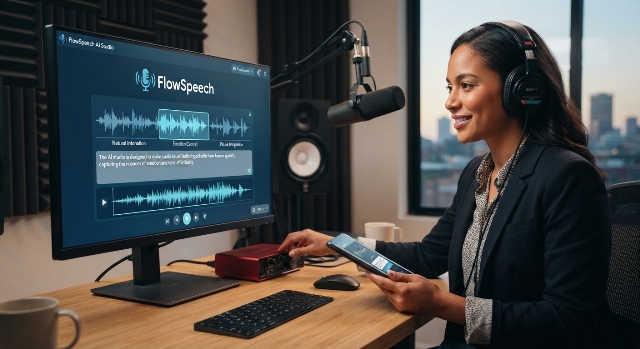
Once the wording reads well aloud, you can generate a first version. FlowSpeech’s AI text to speech supports dialogue with separate voices for each speaker, along with emotion and pause controls. That lets you hear how the exchange works as a conversation.
To try the example:
- Open Multi Speaker mode, labelled Dialog on mobile.
- Choose Paste script, enter the labelled dialogue, and select Detect & split speakers.
- Check that each line belongs to the right person and that the order is correct.
- Choose a different voice for Dina and Rafi, keeping each character’s voice consistent throughout.
- Select Generate Speech to create the audio.
Choose voices that are easy to tell apart without making either character distracting. A slightly brighter voice for Dina and a steadier one for Rafi could work. Both should sound comfortable speaking the language of the script.
Adjust emotion and timing
Add emotional direction sparingly. Dina’s opening question might sound mildly uncertain. Rafi’s answer should feel helpful, rather than impatient. Leave straightforward information, such as the time and location, relatively neutral.
Where the selected voice supports it, use an emotion instruction to guide a particular line. A simple question rarely needs a dramatic performance.
Treat pauses the same way. A brief gap can give a question room to land or separate two important details. An identical pause after every turn can make the conversation feel mechanical. Adjust the transitions that sound rushed or disconnected.
Listen before publishing
For a longer script, test a short section first. Check whether the voices are easy to distinguish and whether each reply follows naturally. Adjust the wording, emotion, or pauses where needed, then generate a new version to hear the changes. Editing the script does not change an existing recording.
When the full version is ready, listen without looking at the text. Notice any words you miss, abrupt changes of speaker, or answers that take too long to reach the point.
Finally, play the audio to someone who has not read the dialogue. Ask what they learned and where they lost track. If they remember the practical advice and can follow both speakers, the explainer is doing its job.