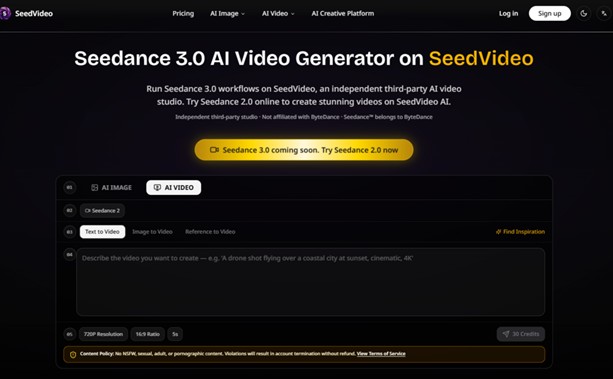
The promise of AI video generation has always been seductive: type a sentence, watch a movie. The reality has been less glamorous—endless tweaking, inconsistent characters, and a lingering sense that the model is doing its own thing while you watch helplessly. But the conversation is starting to shift. Instead of asking how to write better prompts, a growing number of creators are asking a different question: what if I could just show the AI what I mean? Seedance 3.0 is built around that question, offering a workspace where references are not optional add-ons but the primary creative language. It is not another text-to-video tool with a fresh coat of paint. It is an attempt to make AI video generation feel less like gambling and more like directing.
 The Core Insight: References Beat Descriptions Every Time
The fundamental problem with text-to-video is not the quality of the models; it is the medium of communication. Language is abstract. Visuals are concrete. Asking a model to translate one into the other is asking it to fill in gaps it cannot see. The reference-first approach eliminates those gaps by giving the model something to look at before it generates a single frame. You are not asking it to imagine a character; you are showing it a character and asking it to extend that character into motion. You are not describing a scene; you are providing a scene and asking it to build around it.
The Consistency Advantage
The most immediate benefit of this approach is consistency. Faces stay recognizable across shots. Clothing does not change color mid-scene. The visual tone does not drift between generations. This is not magic—it is the result of anchoring the generation to fixed reference points. The model has something to return to, something to check against. In projects where character or brand identity matters, this single feature can save hours of re-prompting and regenerating.
The Platform Workflow: From Upload to Output
The platform organizes the creative process around four key actions: upload, describe, generate, and refine. Each step builds on the previous one, and the workspace is designed to keep you moving forward rather than getting stuck in iteration loops.
Step 1: Upload Your Reference Materials
The Types of References You Can Use
The upload step accepts images, video clips, and audio files. Each type of reference serves a different purpose. Images provide visual anchors—character faces, scene compositions, color palettes. Video clips demonstrate motion, camera movement, or action pacing. Audio files provide rhythmic and emotional cues that sync with the visual output. You can upload multiple references simultaneously, building a layered creative brief that combines visual and audio direction.
How References Improve Output Quality
The quality of the output is directly tied to the quality of the references. Clear, well-composed images produce better results than blurry or poorly lit ones. Specific references produce more precise outputs than vague ones. The platform does not magically enhance poor input; it works best when you feed it good material.
Step 2: Describe and Tag Your Vision
The Tagging System That Bridges Words and References
Once your references are uploaded, you describe what you want to create using natural language. The key difference is the tagging system: you can reference your uploaded materials directly in your prompt using the @ symbol. This tells the model exactly which reference to apply to which part of your description. Instead of writing “a character who looks like the person in the reference image,” you simply tag the image. The model understands the connection and preserves the visual identity across the generated frames.
Why This Reduces the Iteration Loop
From a practical user perspective, this tagging system cuts down the number of generations needed to get a usable result. Text-to-video often requires multiple attempts because the model interprets your words differently each time. With reference tagging, you are giving the model concrete visual and audio data to work with, which means the output is more likely to align with your intention on the first pass.
Step 3: Generate, Extend, and Refine
 The Editing Capabilities That Make It Practical
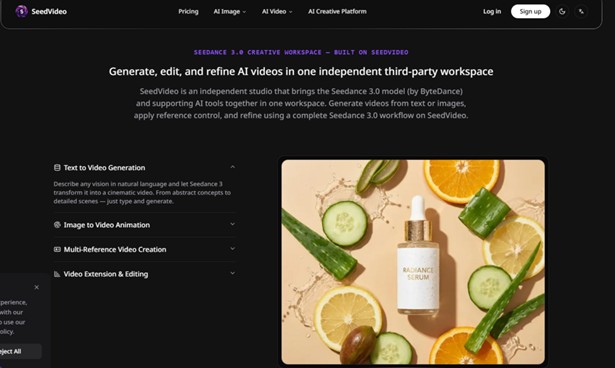
The generation is not the end of the process. The platform supports video extension, allowing you to lengthen existing clips, merge segments, or edit specific portions without regenerating the entire piece. This is particularly valuable for narrative work where continuity matters. You can also apply style transfers from a library of over 100 artistic styles, giving you additional creative flexibility without leaving the workspace.
The Tool Ecosystem: More Than Just Video Generation
SeedVideo is not a single model; it is a workspace that aggregates multiple AI capabilities. The platform centers on Seedance 2.0 and Seedance 3.0 for video generation, but it also includes GPT Image 2 for image synthesis and Suno AI Music for audio composition. Beyond these, the platform supports additional models including Kling 3, Grok, Veo 3, and dozens of others, with Veo 4 listed as coming soon.
The All-in-One Workspace Logic
The practical advantage is workflow continuity. You can generate a concept image using GPT Image 2, feed it directly into the video pipeline as a reference, compose an original music track with Suno AI Music, and sync it all to the final video output—all without switching tabs or managing multiple subscriptions. For creators who are tired of juggling different tools for different parts of the process, this consolidation is a genuine time-saver.
Comparing Approaches: Reference-First vs. Traditional Workflows
| Aspect | Reference-First Workflow | Traditional Text-to-Video |
| Creative Control | Direct visual and audio references anchor the output | Relies entirely on text interpretation |
| Consistency | Maintains faces, clothing, scenes across shots | Often loses continuity between generations |
| Iteration Efficiency | Fewer generations needed due to precise guidance | Multiple attempts required to approximate intent |
| Learning Curve | Requires understanding of reference tagging | Simple prompt entry, but harder to control |
| Output Predictability | Higher, given clear references | Lower, due to model interpretation variance |
Who This Workflow Serves Best
Content Creators and Serialized Production
For creators who need to produce consistent video content at scale, the reference system reduces the overhead of re-prompting. You can establish a visual identity once and reuse it across multiple clips without worrying about the AI forgetting what your character looks like.
Brand and Marketing Teams
Promotional videos benefit from the ability to reference existing brand assets—logos, product shots, color palettes—and apply them consistently across generations. The audio sync feature also makes it easier to match video to existing campaign music or jingles.
Independent Filmmakers and Digital Artists
For smaller teams that lack the budget for traditional animation or live-action production, Seedance 3.0 AI Video Generator offers a way to produce cinematic-quality footage with reference-controlled consistency. The editing and extension features support longer-form projects that would be impractical with single-shot generators.
 What the Platform Does Not Promise
No tool is perfect, and this one is no exception. The quality of the output is directly tied to the quality of the input—blurry or poorly composed references will not become crisp, professional footage. Complex scenes with multiple characters or intricate physical interactions may require multiple generations to get right. The platform is also an independent third-party studio, which means it is not affiliated with Google, OpenAI, ByteDance, or any other AI model provider. While this independence offers flexibility, it also means you are relying on a third party for access to models that may have their own update cycles and availability. The platform enforces a strict content policy that prohibits NSFW, sexual, adult, or pornographic content.
The Bigger Picture: A Different Way of Working
The reference-first approach is not about replacing traditional video production or promising magic from bad ideas. It is about changing the relationship between creator and tool—moving from guessing to directing, from describing to showing. For creators who are tired of wrestling with text prompts that never quite capture what they mean, this workflow is worth exploring. It fits best in environments where visual consistency matters, where audio-visual sync is part of the brief, and where the creator is willing to invest time in curating good reference material. It is not the only AI video tool on the market, but it is one of the few that treats you like a director rather than a spectator.